
Dreaming of being your own boss and working from home?
Did you know that making a 7-figure income annually through blogging is actually possible?
And no, it’s not too late to start! There is an ever-increasing number of people making money from blogging, from part-time to full-time.
This guide will show you the exact steps for setting up a beautiful blog that will generate your first income as quickly as possible!
With this blog, I have been able to earn more than $60,000 a month while raising two kids and working a day job!
If you already have a blog and looking for ways to start making money from it and scale it – check out my playbook “From Zero to $60k” here where I share my full strategy that helped earn over $60k in last Dec!
Within my first year of starting this blog, I earned over $2500 a month, and you can too!
Blogging for income is definitely possible if you know what you’re doing, and this is exactly what you are about to discover in my guide.
Check my income reports to find out how I make money on my blogs:
How I Earned $1,500/mo In 2017 With My First Blog
How I Made $3,329 In September 2019 Blogging
$8, 038+ August 2023 Urban Mamaz Income Report
How I Made $11,409 in November 2023 – Urban Mamaz Income Report
How I Made $60,545 in December 2025 From Blogging
Why Should You Start a Blog
Starting my blog was the best thing I did for my career! It helped me earn money from home and I learned new things every day!
By Starting my blog I was able to:
- Work from home and be with my kids! Blogging is a great way to earn money from home or even while traveling. You can plan your own time and be your own boss. Blogging allowed me to start earning money from home and work only up to 6 hours a day! This way I am able to spend more time with my kids but not give up on my career.
- Start a business with no money – Another thing that is great about blogging is that it has low startup costs. You can start a blog for as low as $10/month with a few hosting platforms. Starting a blog is an amazing low-risk and low-cost way to start a potentially incredibly profitable small business. In addition to the host costs, there are a few more services and products that are recommended for bloggers that can make your work much easier.
- Earn a steady monthly income while working from anywhere!
- Tell my story and help people.
- Collaborate with interesting people and companies all over the world.
- Update – In the beginning of 2026, I quit my day job!
How Exactly Can You Earn Money Online?
I share how I make money on my blog in more detail on this page, but here is a list of the most popular ways people earn money blogging:
- Displaying ads
- Affiliate marketing
- Offer sponsored blog content
- Selling digital products, such as online courses, eBooks, downloadable files, etc.
- Freelancing and selling your own services
- Sell physical products
- Business partnerships
But before you start making money from your blog, the first thing you’ll need to do is to set up your blog. Here is what you need to do to set up your WordPress blog on BlueHost in just a few simple steps.
Let’s start!
STEP 1 – How to Set Up a Blog:
1. Find An Available Domain
Choosing a name for your blog is very important because it can’t be replaced later. Follow these tips when choosing a blog name:
- Choose a unique name – Check on Google if there are other websites or businesses that have the same or similar name.
- Choose a catchy name that will reflect your blog’s concept.
- Choose a name that will be easy to remember and promote online.
- Avoid using generic blog names, brands, and trademarks.
CLICK HERE FOR A QUICK DOMAIN NAME AVAILABILITY CHECK >
2. Pick a Host
Once you find an available domain name that will work for your business you’ll want to move forward with purchasing and registering the domain and getting a web host package for your blog.
I chose BlueHost to host my websites and I’m very a satisfied customer!
Why BlueHost?
I only teach how to start a self-hosted WordPress blog on Bluehost. It is by far the most popular among beginners and the best choice for bloggers who want to make it a business. I explain why a self-hosted blogging platform is the best option for you here.
Setting up a WordPress blog on BlueHost is super easy and fast!
Here are the benefits:
- Bluehost offers very affordable pricing plans and if you purchase long-term storage it is even cheaper!
- Easy to purchase and super quick WordPress website setup – The whole process is online, there are detailed instructions on every step you make during the setup process and it takes less than 15 minutes to start your blog!
- You get a free SSL certificate
- A FREE domain name for 1st year is included
- 24/7 support for all customers
3. Set Up a WordPress Blog on Bluehost– Let’s Get Started!
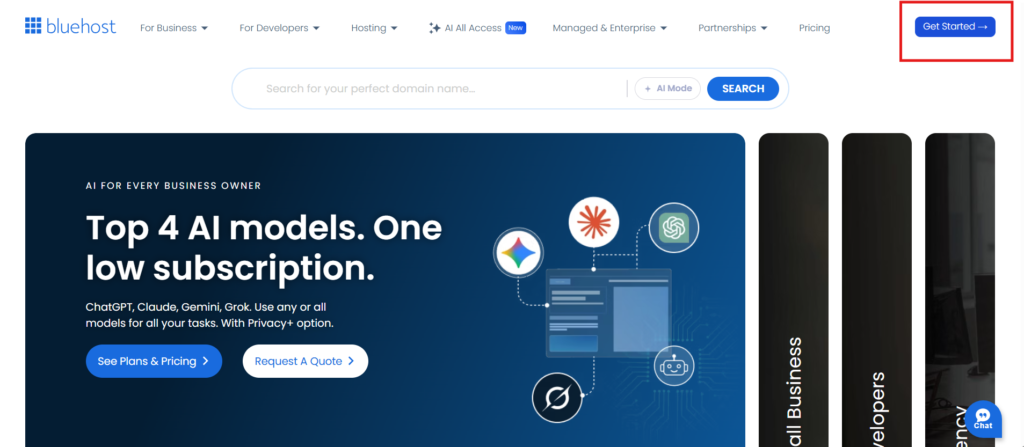
Click the blue “Get Started” button.
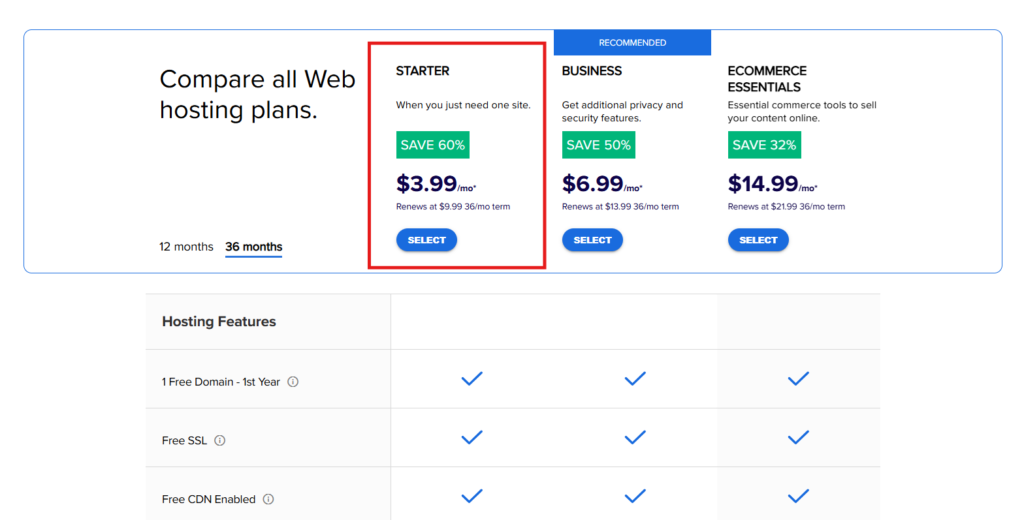
Choose the plan you prefer, the starter plan should be just fine for starting a blog. You can always upgrade it later.
Type in your chosen domain name, under the NEW DOMAIN section, and click NEXT.
Fill in your details and account information.
After you enter all the details, scroll down to the PACKAGE INFORMATION section. Here you can choose between a few plans.
You get the cheapest monthly rate by selecting 36 months. Choose the best plan for you and clear all the check-boxes bellow. If you change your mind, you can always upgrade or add those services or even cancel the plan within 30 days for a full refund.
Scroll down and enter your payment details, agree to the Bluehost terms and click the SUBMIT button.
Click NO THANKS and proceed to the next step (you can always upgrade it later).
Welcome to Bluehost! Enter your Email address and click on CREATE YOUR PASSWORD.
Create your password and click NEXT.
Congratulations! You have created your password and now you can log into your account for the first time! Click on the LOG IN button and get inside the Bluehost Portal.

After you log in for the first time, Bluehost will install WordPress for you. And with the cool AI tools that we have today, Bluehost built a user friendly process that will help you quickly design the first draft of your site in just a few steps.
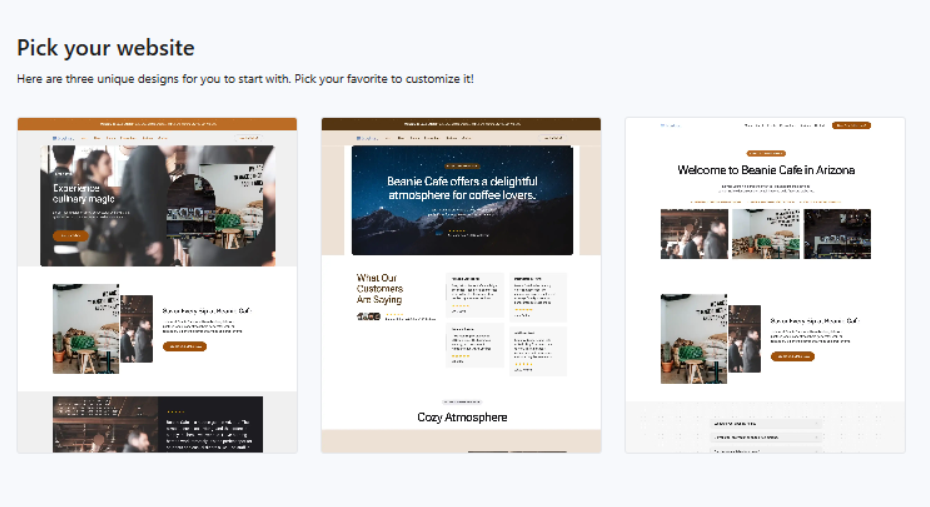
***If the WordPress installation proccess didn’t start automatically right after you complete the purchase – check out this guide by Bluehost on how to install WordPress site and use the AI site builder.
Save this info – this is how you can log in to your site dashboard:
- Open your browser.
- Enter this URL: mywebsite.com/wp-login
- Enter your user name and password and login to your blog.
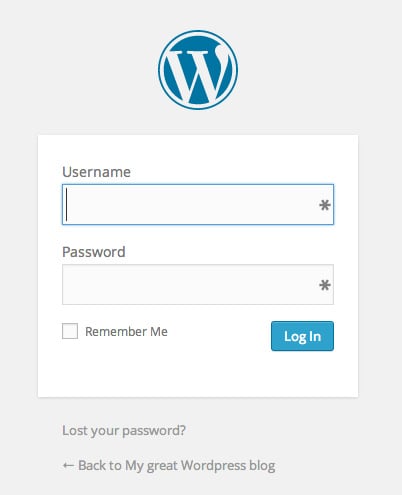
After you log in to your blog, you will reach your WordPress dashboard.
Congratulations! You did it! You have officially started your blog on Bluehost!
Now you get to the fun part of this guide where you choose a beautiful theme for your blog! WordPress themes affect the design of your entire site, this way you can adjust its overall look, feel, colors, and layouts to your personal taste.
Go to the next step to see my favorite WordPress themes that can make your site look amazing and learn how to install them.
HOW TO START A BLOG BUSINESS – GUIDE
Click to move to the next step »
STEP 1 Set Up A WordPress Blog On Bluehost — YOU’RE HERE
STEP 2 Install a WordPress Theme That Will Make Your Site Look Amazing
STEP 3 Must-Have WordPress Plugins Installation
STEP 4 Set Up Google Analytics & Webmaster Tools
STEP 5 Must-Have Pages for Your Blog
STEP 6 Write High-Quality Content Your Audience Will Love
STEP 7 Increase Website Traffic
STEP 8 How to Make Money Blogging
STEP 9 Use Search Engine Optimization (SEO) to Increase Revenue